> ## Documentation Index
> Fetch the complete documentation index at: https://docs.runrox.com/llms.txt
> Use this file to discover all available pages before exploring further.
# Introduction
A backtesting system that is integrated with our Signals Master indicator for determining the best settings based on extensive historical data. In this feature, you can optimize your trading strategy and see the best settings for our Signals Master indicator.
We have made our backtesting system as simple as possible so that both beginners and experienced traders can understand and use it.
The backtesting system automatically calculates all possible settings of our main indicator, Signals Master, and shows the best options for Sensitivity, Reaction, and whether filters are enabled or disabled. In addition to this, we display potential profit based on trade history, Winrate, the number of trades, the number of trades that reached Take Profits, Profit Factor, and Maximum Drawdown per trade.
In the following sections, we have broken down each setting in the backtesting system.
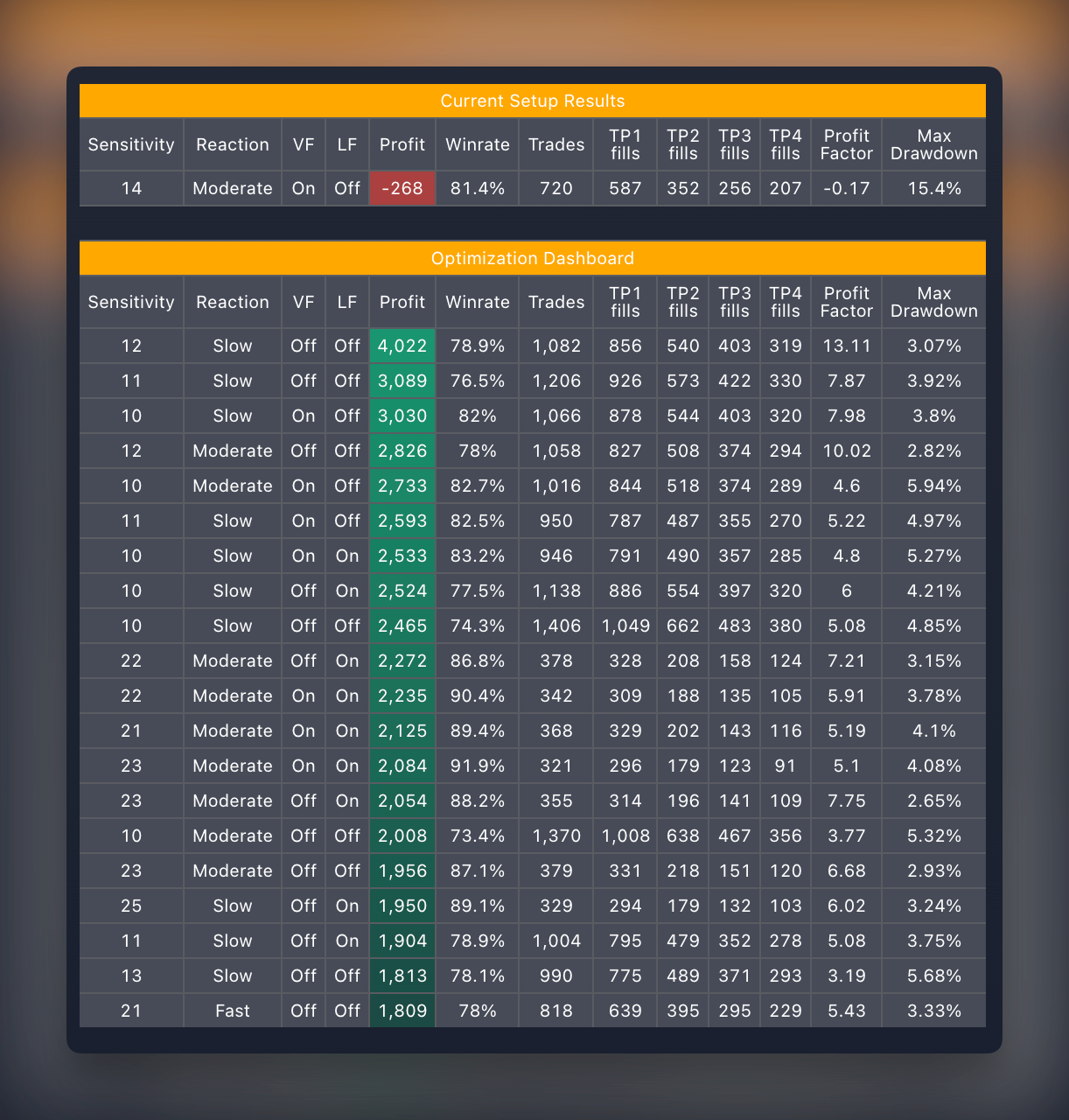 The backtesting system automatically calculates all possible settings of our main indicator, Signals Master, and shows the best options for Sensitivity, Reaction, and whether filters are enabled or disabled. In addition to this, we display potential profit based on trade history, Winrate, the number of trades, the number of trades that reached Take Profits, Profit Factor, and Maximum Drawdown per trade.
In the following sections, we have broken down each setting in the backtesting system.
The backtesting system automatically calculates all possible settings of our main indicator, Signals Master, and shows the best options for Sensitivity, Reaction, and whether filters are enabled or disabled. In addition to this, we display potential profit based on trade history, Winrate, the number of trades, the number of trades that reached Take Profits, Profit Factor, and Maximum Drawdown per trade.
In the following sections, we have broken down each setting in the backtesting system.